How to set up Minecraft
1 – Enable display of co-ordinates:
In Minecraft Bedrock for iOS, and as an admin of your Realm, enable display of your current co-ordinates using both:
- Set – Settings/Creator/Enable Copy Coordinate UI = 1
- Set – Settings/Game Settings/Show co-ordinates = 1
- Or in Chat, type: gamerule ShowCoordinates true
- Use menu options:
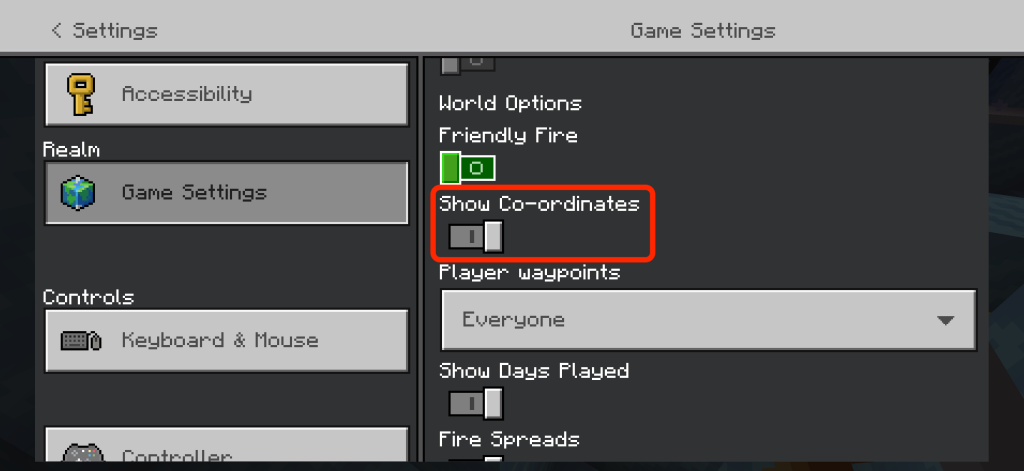
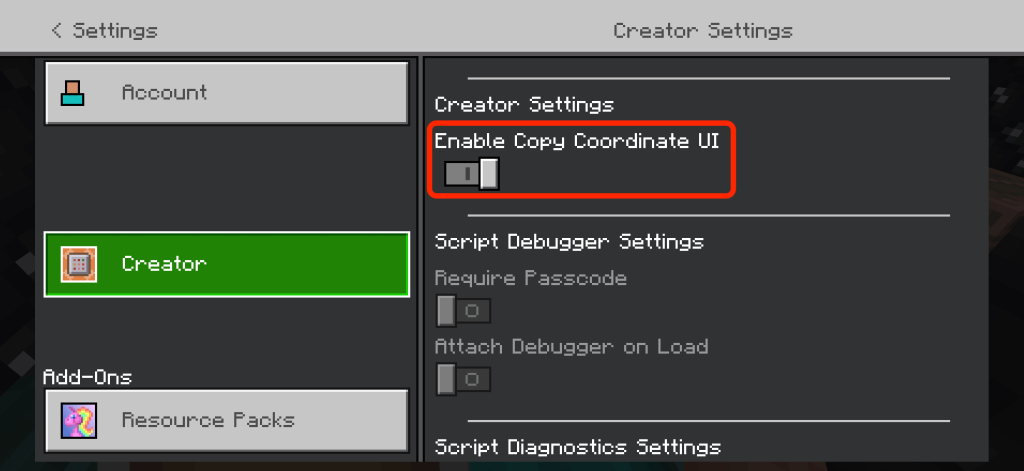
Nb: You may need to activate cheats
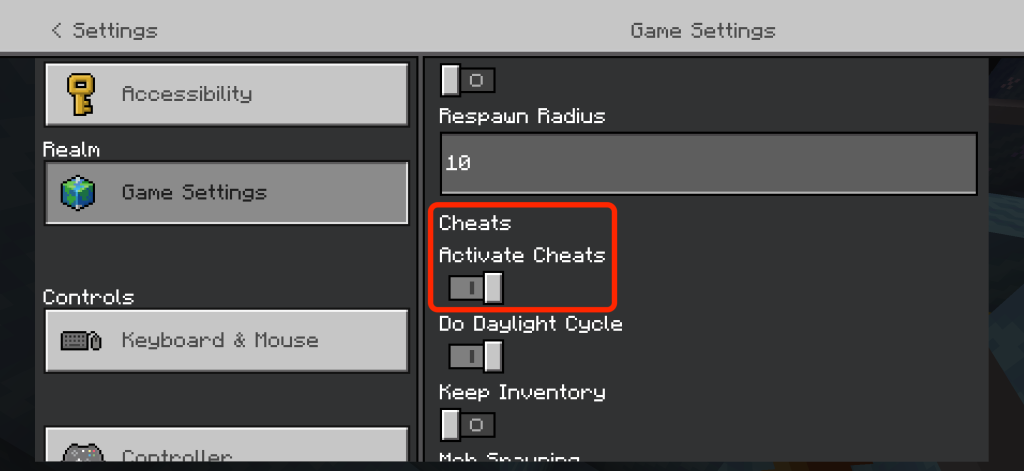
For other versions of Minecraft please see the help documentation for your version.
If you have any problems email minebook@pumpy.co.uk
How to use the app
- Copy the co-ordinates you want to keep:
With ‘Copy Co-Ordinates UI’ turned on, above, you can just click the copy button in the chat menu:
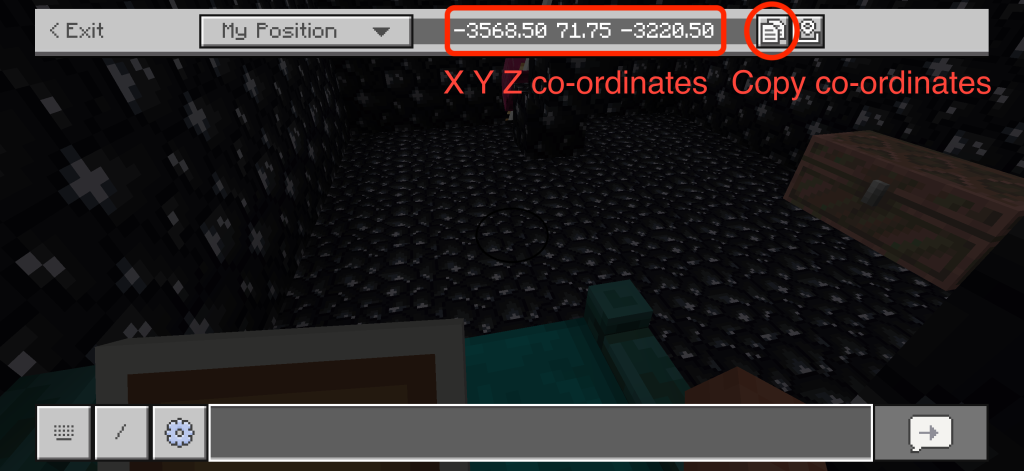
You can also bind ‘copy coordinates’ to a key/button
You can also take a screenshot and in the pro version (one-off in-app purchase) upload the image and it will automatically capture the co-ordinates.
2. To create a new location in MineBook
First Create a world (the free version supports 2 worlds with 5 locations in each. The pro version is unlimited)
Then create a location and fill in at least the name and coordinates and dimension.
Once you have a location created you can:
- add tags (3 in free version, unlimited in pro)
- Add notes
- Add an image/screenshot (pro version)
- Click the xyz to copy the coordinates to the clipboard or the /tp button to copy the full teleport command. You can then paste that into the chat window and tap return to quickly and easily teleport to your location.
Paste in iPad version – you just tap the paste icon
Paste in iPhone version – there is no paste option by default, but if you download the ‘SwiftKey keyboard’ that has a paste button
Please note – if you switch from Minecraft on iPhone to Minebook, the iPhone will suspend Minecraft whilst it is in the background, so when you go back to it you will need to click ‘login’ again
iPad OS 26.2 onwards has re-introduced ‘SlideOver’ view, so if you set Minebook to slide in from the right, you can swipe in, find the location you want, click /tp button, slide back out and paste the full command into the chat window and teleport from start to finish in seconds.
Pro Version
The free version supports 2 worlds and 5 locations in each. There is a pro ‘in-app purchase’ which is a one-off upgrade which gives you unlimited worlds and locations, plus also:
- Unlimited tags
- Search
- Photo upload
- Automatic OCR of an uploaded screenshot to find the X Y Z coordinates and automatically capture them and pre-fill your location automatically
- And more premium functions to come
Note: there are no advertisements, and no subscriptions, just a one-off premium feature upgrade to unlock extra functions and help support ongoing updates of Minebook.
Contact
If you have questions, need any help or have any suggestions, contact:
minebook@pumpy.co.uk
Or fill in this form: